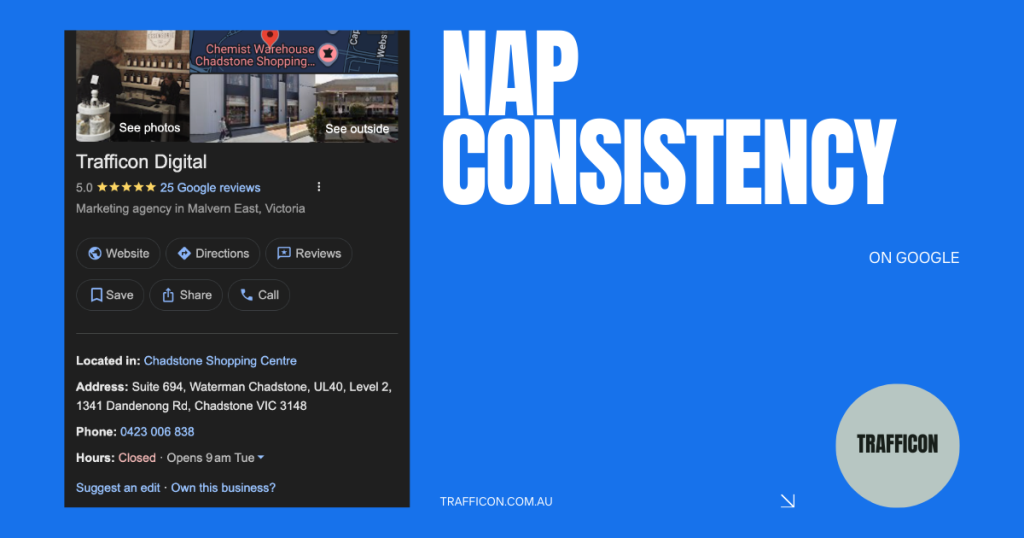
If you’re running a local business in Australia and want to appear prominently on Google Maps or in local search results, one of the most straightforward yet powerful steps you can take is ensuring your business details are consistent everywhere online. We’re talking about NAP: Name, Address, and Phone number.
NAP is your core contact information. These are the details customers rely on to find you, call you, or visit your premises. Search engines like Google use this information to verify that your business is legitimate and accurately located. When your NAP matches exactly across the web, it sends strong trust signals to Google. This helps boost your visibility in local searches, improves your position in the Google Maps pack (often called the Local Pack), and makes it easier for nearby customers to choose you over competitors.
Inconsistent details, even minor ones like “Pty Ltd” missing in one place, “Suite” abbreviated in another, or a phone number formatted differently, can confuse Google. This weakens your local rankings, reduces trust, and may lead to fewer enquiries or foot traffic. Recent best practices for local SEO experts still show that that NAP consistency remains a foundational ranking factor, especially as search evolves with more AI-driven results.
Set Up Your Master Version and Use It Everywhere
Consistency starts with one official version of your details. Write it down, save it securely, and copy-paste it identically every time you list your business.
Here’s an example using real details (replace with your own):
Business Name: Trafficon Digital Pty Ltd Address: Suite 694, Waterman Chadstone, UL40, Level 2, 1341 Dandenong Rd, Chadstone VIC 3148
Phone: 0423 006 838
Website: http://trafficon.com.au/
Stick to this exact format. Avoid variations like adding or removing “Pty Ltd”, changing “Rd” to “Road”, or formatting the phone as (0423) 006 838. Small differences matter more than you might think.
Key Places to List Your NAP (Citation Sources)
These listings, known as citations, act as trusted third-party confirmations of your business details. The more consistent, high-quality citations you build, the stronger your local signals become.
Prioritise these core ones first:
- Google Business Profile (still the most critical. Claim, verify, and optimise it immediately if you haven’t)
- Yellow Pages: yellowpages.com.au
- TrueLocal: truelocal.com.au
- Hotfrog: hotfrog.com.au
- Localsearch: localsearch.com.au
- Facebook business page
- Apple Business Connect (for Apple Maps): businessconnect.apple.com
- Bing Places: bingplaces.com
- Instagram (add your address and website in your profile)
- Your own website (place it in the footer and on a clear contact page)
After those, fill in extras during spare moments. Solid options include StartLocal, dLook, Yelp (yelp.com.au), Oneflare, Hipages, ServiceSeeking, Pink Pages, and any trade-specific directories relevant to your industry (Hipages for tradies, for example).
Quick Tips for Success and Maintenance
- Use the exact same name, address, phone, and website every time. No exceptions.
- Upload real, high-quality photos wherever possible to make your listings more engaging and trustworthy.
- Select the most precise primary category (and relevant secondary ones) to align with what customers search for.
- Track your listings in a simple Google Sheet. Include the site name, link, date added, and any notes.
- If details change (new address, phone update), revise every existing citation promptly to avoid mixed signals.
NAP consistency isn’t glamorous, but it’s one of the strongest foundations for local SEO. Get it right across these platforms, and you’ll give your Google Maps listing, and overall local presence, a significant lift.
Additional Resources to Help You Get Started
Guide to setting up a Google Business Profile for the first time: https://support.google.com/business/answer/7039811?hl=en
Guide to setting up and managing your Bing Business Listing: https://support.microsoft.com/en-au/topic/add-and-manage-your-business-listing-294b53b9-6132-4012-b37a-0bc3e40b794b
Setting up Bing Webmaster Tools: https://www.bing.com/webmasters/help/getting-started-checklist-66a806de
For Apple Business Connect setup (great for reaching iPhone users on Apple Maps): https://businessconnect.apple.com/